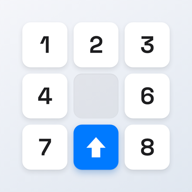
A slide puzzle solver is a program that, given any solvable starting position, outputs a sequence of moves that leads to the goal. It is the kind of tool that has two audiences: players who are stuck, and developers who need to ship a slide-puzzle app.
The two audiences want very different things.
Why players almost never need a solver
If you are stuck on a slide puzzle, the honest fix is usually not "run a solver". It is one of three things:
- Learn the row-and-column method. Most players who give up are players who never learned the canonical strategy. (Start with the 8 puzzle, then scale up.)
- Verify the puzzle is solvable. If you cannot find a solution no matter what, the app may have generated an unsolvable board by mistake. Quickly verifiable.
- Use a hint, not a full solve. The next single move is usually enough to unstick you. Apps that offer hints (ours does, in Premium) usually compute one move on demand rather than a whole solution.
A full solution rarely teaches you anything useful, because the solver produces an optimal sequence — usually 52 moves for a hard 15 puzzle — and watching 52 optimal moves whizz by on a phone doesn't build intuition.
The hint is the right unit. If you need a hint, you don't need a solver.
Why developers always need one
Building a slide-puzzle app means committing to several promises:
- Every puzzle is solvable.
- Every puzzle takes about a given number of moves (difficulty calibration).
- Every puzzle can produce a hint on demand.
None of those promises is honest without a solver running in the background.
Solvable-by-construction generation can avoid running a solver during generation: walk backwards from the goal state by applying random valid moves, and you guarantee a solvable starting position. Most apps, including ours, do exactly this.
Difficulty calibration wants the puzzle to be "interesting" — neither trivial (a board that is already mostly solved) nor exhausting (a board that needs 60 moves on a 3×3 to fix). The standard trick is to apply enough backward moves to land near the optimal distance from the goal — typically 20–30 for a 3×3, 40–60 for a 4×4. The solver verifies the distance after generation.
Hints require a solver that can produce one good next move in a few hundred milliseconds. That is faster than a full optimal solution but still demands real algorithm work.
What kind of solver
The choice depends on board size:
| Board | Recommended algorithm | Time per solve |
|---|---|---|
| 3×3 | A* + Manhattan | < 1 ms |
| 4×4 | IDA* + walking distance | 10 ms – 1 sec |
| 5×5 | IDA* + 5+5+5+9 pattern DB | 100 ms – minutes |
| 6×6 | IDA* + larger pattern DB | seconds – hours |
For a 3×3, even brute-force BFS works. By 4×4 you need a real heuristic, and Manhattan distance has been the standard since the 1980s. By 5×5 you need pattern databases. By 6×6 you are doing research.
We cover the algorithm details in the 15 puzzle solver guide and the 8 puzzle solver guide. For an algorithm comparison see the sliding puzzle solver page.
On-device vs server-side
Mobile apps that ship a solver have two implementation choices: run it on-device, or call out to a server.
On-device is the more honest choice for a privacy-respecting app. The solver is a few hundred lines of code, the pattern databases for 4×4 fit in a few megabytes, and a modern phone solves any 15 puzzle in well under a second. There is no reason to send a puzzle state to a server — and not sending it is one of the things that distinguishes a calm phone game from one that needs telemetry to function.
Server-side is what gets used when the app developer wants to track which puzzles users are stuck on, or A/B test difficulty curves. Those are real product reasons, but they come with a privacy cost and a network dependency. Apps that can't solve a puzzle offline are apps that won't work on a plane.
Slide Puzzle solves entirely on-device. The Pattern database for 4×4 is about 6 MB and lives inside the app bundle. The hint button uses it directly. No request leaves the phone.
A pragmatic note
If you have arrived here looking for "a solver website where I paste in my board and it tells me the answer" — those exist, and they are usually web-based 8-puzzle solvers. They are fine for the 3×3. For 4×4 and up, the user experience is awkward: typing in 16 numbers, watching a 50-move sequence, trying to perform 50 specific moves on a physical board. Nobody enjoys that.
The realistic uses of a slide puzzle solver are:
- Verifying your own implementation in code.
- Generating a corpus of test boards.
- Inside an app, computing a hint.
Outside of those, learning the row-and-column method is faster.